




Please choose a category:
|
|
|
|
For FAQ & Support on other products please click here!
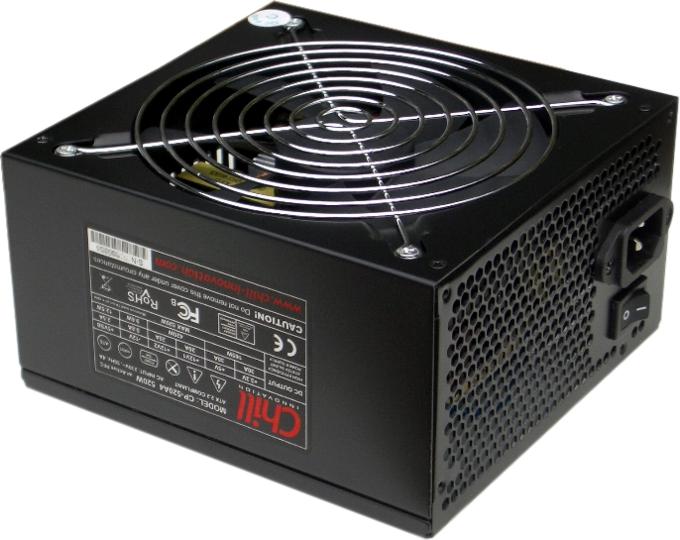
Chill Innovation ATX Power Supplies:
Will the Chill Power Supplies increase my system temperature due to the virtually silent operation?
No, our heat dissipation technology is superior to most conventional Power Supplies and will actually help reducing your system temperature and improve case airflow. Other Silent PSU's will have a higher chassis- and operating temperature and less good airflow, due to the reduced fan speed. Then you would just need additional case fans, that in return will result in higher noise levels. Pointless!
Does the Chill Power Supplies fit all computer cases and motherboards?
The latest Chill Power Supply series fit all cases and motherboards complying with the ATX 2.x standard. Older hardware, typically from before year 2003-2005, might be based on the older out phased ATX1.x standard featuring other specifications and a -5V rail among others. Check your documentation for requirements / compliance. Most of our older models features ATX1.3 compliance including a -5V rail (check output specifications / PSU label), but these models are no longer in production since mid 2006.
All of our 'Modular' based Power Supplies comes with extended 20/24-pin Main-ATX and ATX12V/EPS12V cable length, in order to offer better support for PC cases with bottom mounted Power Supply.
How does the RPM Monitor feature works?
Your motherboard has to support this feature. Connect the signal cable from the PSU to a 3-pin POWER/CASE FAN plug on the motherboard. Monitor software should be supplied with the motherboard or 3rd party. With this feature you will be able to monitor the fan speed of the built-in fan to ensure it is running properly and to get an idea of your current load/temperature conditions inside.
Can I count on the Voltages readings provided by the Mainboard/BIOS?
No, not at all unfortunately!. The only way to get accurate voltage readings is to use a good Multimeter / Voltmeter. It is not unusual the motherboard probe readings will differ up to +/- 1V from the actual rating.
Can I count on my 'Energy meter' when measuring PC Power / Standby consumption?
Unfortunately, most cheaper 'Energy meters' cannot measure inductive load from Switch Mode based products correctly. Computer Power Supplies, as well as most other modern home electronics like televisions, DVD / Blue-ray players, game consoles etc. are based on Switch Mode technology. On such products you will get incorrect Watt readings, especially for lower loads, such as Standby consumption.
Make sure your 'Energy meter' has inductive / Switch Mode support in order to get correct readings. However it does take expensive PRO equipment for fully accurate readings on Switch Mode based products.
All current Chill Power Supply models only have 0,4 - 0,9W Standby consumption. Please notice, that your motherboard and connected USB devices etc. also might have a standby consumption. You can normally adjust BIOS/jumper settings to prevent USB ports to be powered during standby and also disable Ethernet features like Wake-On-Lan (WOL) etc. which require standby power.
The Spar-O-Meter from the Danish Energy Saving trust can measure inductive load to some extend.
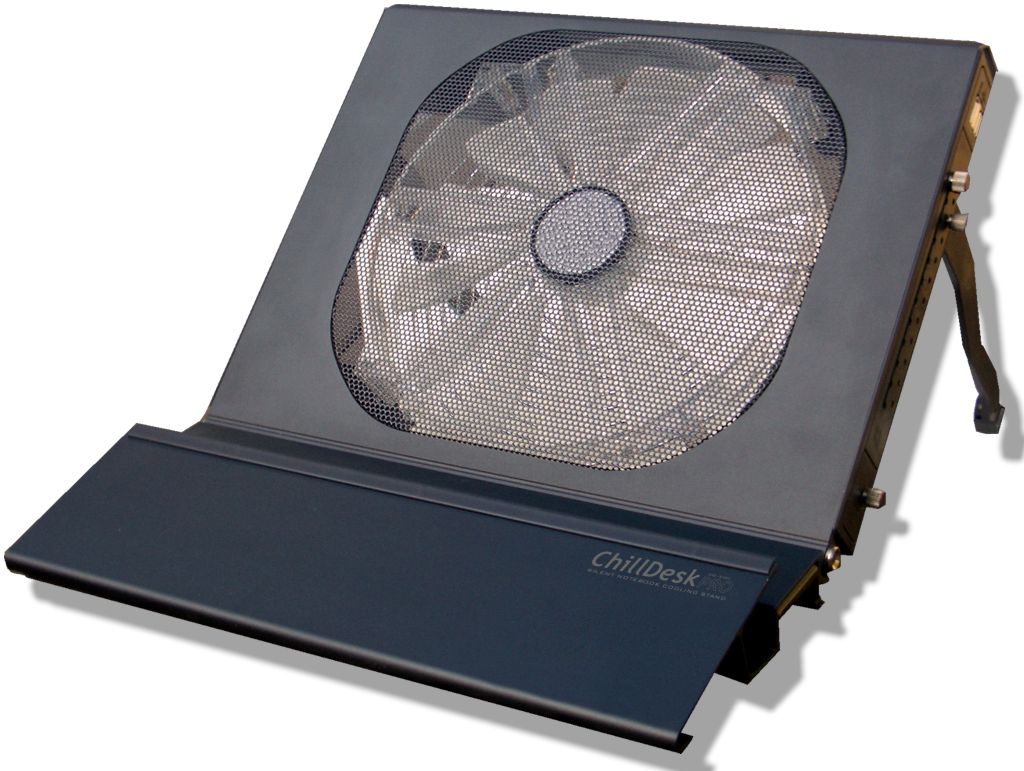
ChillDesk Notebook Cooling Stands:
Do the ChillDesk's fit my particular Notebook/laptop computer?
There are no international standards for compatibility between laptop computers and Cooling Stands, however it is merely a matter of placing the laptop on top of the cooling stands surface.
It you follow the screen size recommendations for each ChillDesk and check the dimensions of the ChillDesk you should be able to tell how well it will fit your laptop computer. It is not necessary for your laptop PC to fit exactly within the dimensions, as it would still have enough surface to remain stable.
Are the ChillDesks silent?
Yes! - Noise levels are a key priority for our ChillDesk products. Some models have adjustable fan speed, so you can control the performance vs. noise ratio yourself. Others have a fixed fan speed, which is optimized for silent operation in a way, so you will not pay attention to them.
Will my Notebook/Laptop computer become more silent with a ChillDesk?
Most Notebook/Laptop computers are equipped with small noisy fans, which automatically turns ON and OFF depending on the internal operating temperature.
When using a ChillDesk Notebook Cooling Stand the overall internal operating temperature will drop, which will result in less activity from the built-in smaller noisy fans.
Will the ChillDesks only affect my CPU temperature?
No! The ChillDesks are intended to cool down hotspots in your entire computer. In fact you might experience the biggest temperature improvements on GPU, HDD and overal system temperature, since these areas are normally not particular well covered by the internal cooling system.
With the CPUid HWmonitor utility, you might be able to get additional temperature readings etc. from your notebook/Laptop if supported.
My computer does not have the Fan Air-Intake in the bottom, so will ChillDesk work here?
Yes! Even though the air-intake might not benefit from the airflow created, the ChillDesk will still cool down the computer surface an components, relieving stress and noise from the built-in cooling system.
With the CPUid HWmonitor utility, you might be able to get additional temperature readings etc. from your notebook/Laptop if supported.
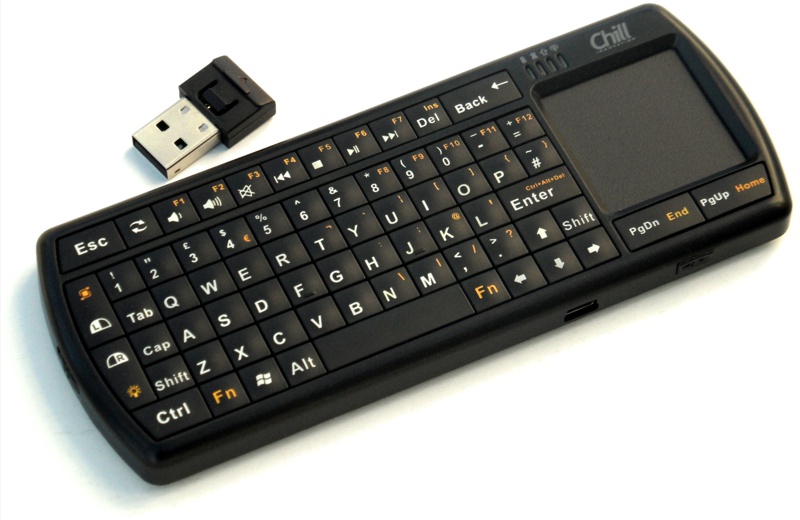
Chill Wireless Micro Keyboards:
Downloads:
KB-1BT Bluetooth Micro Keyboard Full Manual (PDF): English / Dansk
KB-1RF 2.4G RF Micro Keyboard Full Manual (PDF): English / Dansk
KB-1BT Driver Package for older devices (Android 2.x, Nokia, Windows Mobile) (1.7Mb)
How do I get the best operating range?
To get the best possible operating range and less lag, you should consider the following:
- The included Bluetooth Dongle and most standard built-in BT modules offer basic signal strength and are more sensitive to radio interference from other equipment.
- Wireless signals do not travel well through obstacles (especially metal). Try to keep the dongle visible.
- All other wireless radio signals in the air like DECT Phones, Wi-Fi Routers, Doorbells, LED/Plasma TV, Keyboard/Mouse, Microwaves etc. will cause interference lowering the signal quality and thereby range.
To improve signal strength and range further you can upgrade to a good quality Class 1 rated Bluetooth Dongle instead for the KB-1BT.
(Even though Class 1 is specified up to 100 mtr. range, you will not achieve suchin real life. However it should give you some extra meters and/or a stronger signal with less lag).
The Signal quality and range are determined by the Bluetooth host/dongle, not the Keyboard.
I cannot activate the Android driver software on my older HTC Android device?
The Android driver software are only needed for older Android 2/3 devices. Newer devices will connect through the regular Bluetooth settings.
Unfortunately HTC have a problem with the Bluetooth HID implementation on older models with HTC Sense (ex. HTC Desire, Desire HD, Desire S, Desire Z etc.), so no Bluetooth HID based devices will currently work on these.
The limitation is not related to the Keyboard or Android, or even the HTC Device itself - but to the HTC Sense software/ROM currently installed. The problem also affects all other Bluetooth HID devices you might try to connect.
Please check with your vendor if your Android Device support the Bluetooth HID Profile. If or when HTC intend to solve this, is pretty much up to them...
How can I customize Android keyboard/mouse settings to my preferences?
Android 3.x/4.x have USB Keyboard/mouse support out-of-the-box, but options for customization is fairly limited. Secondly, many Android Device manufactures tend to modify and/or limit the capabilities within Google Android.
By using a 3rd party app such as: "External Keyboard Helper Pro" from Google Play store, you can expand the keyboard/mouse capabilitites within your Android Device. Choose your desired Keyboard language, and in 'Advanced settings' activate 'Detect USB Keyboard'. Depending on your Android device you might also want to add a 'Detection Delay' of for example 4 seconds.
There is also a free demo of External Keyboard Helper available for testing purposes (Spacebar will add Demo message everytime pressed) as well as documentation/tutorial. Chill have no relations to this App.
Do Chill Micro keyboards also work with Mac products?
The Chill KB-1RF Mini Keyboard will work with any Mac product, which support regular USB Keyboard & mouse (not suited for iPhone/iPad). For KB-1BT Bluetooth Mini Keyboard you should be able to connect this if your Mac have built-in Bluetooth HID support (suited for iPhone/iPad, but notice that iOS does not have any mouse support, and thereby also the Touchpad). Not all Mac products will detect the included USB Bluetooth dongle though, so KB-1RF might be the safer choice for Mac Mini / Pro.
Mac uses slightly different key mapping for certain keys compared to PC. If you want to fully control the keyboard layout you can use a free 3rd party utility such as DoubleCommand.
How does the Chill Micro Keyboards differ from cheaper alternatives?
The Chill Micro keyboards comes with high quality components, so even though it might look fairly similar to other alternatives - it is not!
The Chill Micro Keyboards are equipped with a A-Grade Lithium-Polymer battery adopted from hi-end Cell phone industry. This gives you longer lasting power and the ability to charge it whenever you like (does not need to be fully depleted for better results). Secondly, and more importantly - Cheaper batteries have a very short lifetime. Even after a few re-charges they will start to degrade rapidly.
The Chill Micro Keyboards also comes with high quality Radio/Bluetooth chips offering superior communication range/stability compared to cheaper alternatives.
Finally the Chill Micro Keyboards are also equipped with high quality capacitors and LED's etc. for longer lasting operation and better overall experience.
So it is up to you to decide, if you are looking for a cheap gadget or a high quality Micro Keyboard intended to be used?!
Does the Chill Micro Keyboard has any Home Theater (HTPC) advantages over regular keyboards?
Yes, besides the compact design the Keyboard also have some unique design features optimized for HTPC use:
- When you use it as a HTPC remote, you normally do not need to navigate a mouse cursor, but need to navigate within menus of the Media software. This explains the left/right mouse placement!:
Our design will function much better, as the Mouse buttons works as selection buttons with left hand (or a right hand tap on the Touchpad), and the Touchpad and Page Down/Up then slides through pages/menus. Thereby you can operate much faster and very easy with your two thumbs.
- The ability to rotate the Touchpad, is intended for single hand use in HTPC and presentations - just like a regular Remote:
You can then navigate inside the menus with the Touchpad, the Page Up/Down and also access all the Multimedia buttons single handed. A tap on the mouse pad will then trigger the left mouse button, which is used for selections and Page Up/Down for scroll/changing page etc. Very convenient!
Which version should I choose, the Bluetooth or the 2.4G RF based?
If you primarily intend to use it on a PC / HTPC (Windows, Linux or Mac) at shorter range we suggest the 2.4G RF based versions, since these are pure Plug&Play (No drivers and setup needed). They also work in BIOS and support Wake-on-USB.
If you intend to use it on other devices with no USB Keyboard support (Smartphones, Tablet PC's etc), the Bluetooth HID versions offer wider compatibility. It is also possible to extend operating range further with stronger Bluetooth Dongles (Class 1). Bluetooth devices need pairing with the host and is therefore Driver/Setup dependant.
Will the battery be easily depleted if I forget to turn off the Keyboard and/or the Backlight?
No! If you activate the Backlight, it will automatically turn off during inactivity. Next time you start typing, it will automatically turn on again.
After 30 minutes of inactivity the Keyboard will automatically go into Standby to preserve Power. Just press any key to wake up the keyboard.
Can I input F9, F10, F11 and F12 commands on the KB-1RF Mini Keyboard?
We have added shortcuts for these commands on recent KB-1RF / KB-1BT versions (even not printed on the keys). Press Fn+F for F9, Fn+G for F10, Fn+H for F11 and Fn+J for F12.
 Norsk
Norsk English
 Dansk
Dansk
 Svenska
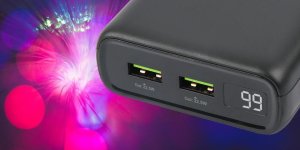
Deltaco 20000mAh USB-C PD Strømbank (20W), Svart
Fremragende kraftig og billig powerbank. Velegnet til backup, når Beredskabsstyrelsen nu beder os om at "preppe" :-)
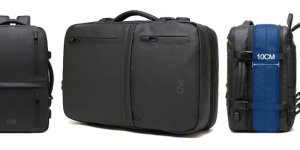
Chill Voyage Ryggsekk, USB, Svart
Super flot taske og med kraftige syninger. Overgår forventningerne, min gamle taske er noget dyrere men ligner en sæk kartofler når man fylder den op. Den her er fint polstret og holder formen.
Chill Urban regntett slengveske, svart
Fantastisk lille rygsæk til alt fra shopping til ferie. Rummelig og meget behagelig at gå med en hel dag.
Chill Fusion vanntett PC veske og ryggsekk i ett
Ubetinget den bedste rygsæk jeg har haft! Meget lækker kvalitet og god plads.
Chill Stealth Anti-Tyveri Ryggsekk med kodelås
Skøn rygsæk og mange dejlige funktioner. Elsker bl.a. at den kan holde flasker kølige i timevis.
Har benyttet min egen dagligt i snart et år og den ser stadig ny ud. Så nu vil min mor også have en selv :-)
Deltaco 20000mAh USB-C PD 60W Strømbank, LED Display, Svart
Super lækker og hurtig powerbank. Lader både min iPhone og MacBook samtidig.'
Med en 60W USB-PD oplader kan powerbanken ligeledes oplades på ca. 2 timer, hvor min gamle powerbank to næsten en hel dag at oplade. Kan anbefales herfra"
Chill Voyage Ryggsekk, USB, Svart
God all-round taske til dagligt brug og rejser i et ret fedt design. Har ikke tidligere set dette gummiagtige materiale den er udført i, men det fremstår/føles ret lækkert og stærkt, nærmest ala læder. Kan anbefales!
Chill Voyage Ryggsekk, USB, Svart
Er rigtig glad for min nye Chill taske. Ved ankomst så den noget lille/flad/let ud, men må sige den har imponerende god plads og en overraskende lækker materiale finish. Kan uden problemer have både min 16" MacBook Pro samt alt muligt andet i den. i øvrigt ret lækkert at rummene holdes adskilt. Kan næsten ikke vente til den også skal med på ferie!
Chill Stealth Anti-Tyveri Ryggsekk med kodelås
Rigtig smart taske med god kvalitet og mange muligheder. Elsker de skjulte og mange lommer. Passer fint til MacBook Pro :-)
Chill Drop💧ultralett og regntett ryggsekk, USB, svart
Fin taske til det daglige og ferier osv. Ens hjerne kan ikke lige fatte den ikke fylder/vejer mere, så føles måske lidt billig i starten. Fyldt op er den dog både rummelig og solid som alle andre tasker, og den er egentlig også udmærket polstret inkl. håndtag og seler. Lynlåse er i god kvalitet og ovenikøbet indkapslet. Prismæssigt måske lige i overkanten til normalpris, men fair nok på tilbud.
USB-C til USB-C kabel - Power Delivery (USB-PD)
Gode kabler til rigtig gode priser. Jeg vender tilbage!
LED-bordlampe (batteridrevet), Sort/hvit
Giver et hyggeligt lys og stemning, men ikke kraftig nok til decideret rumoplysning. Holder dog strøm ret længe, pt oppe over en måned ved nogle timers dagligt brug. Væsentlig bedre end LED "stearinlys". Ren plast, men pæn. Bliver hyggeligt at få dem på altanen til sommer :-)
Chill Fusion vanntett PC veske og ryggsekk i ett
God taske til både dagligt brug og rejser. Jeg kan have tøj osv. til en hel weekend i den, når den udvides. Har brugt den som fly kabinetaske uden problemer. Kan sagtens anbefales!
Chill Fidelity E50 Trådløs Bluetooth Stereo Høyttaler, Svart
I love it! Bra ljud och perfekt design. Verkligen imponerande hur lång tid den kan spela innan den behöver laddas igen
Chill Stealth Anti-Tyveri Ryggsekk med kodelås
Superfed og alsidig rygsæk. Bruger den både til studie og rejser, og den spiller bare.
Chill Fidelity E50 Trådløs Bluetooth Stereo Høyttaler, Svart/Hvitt
Den mest eleganta och mest klingande bluetooth högtalare jag någonsin har haft. Fantastisk produkt och bra pris. Tack för snabb leverans!